Digital Sales Room Software: Features, Selection Checklist & ROI (2026)
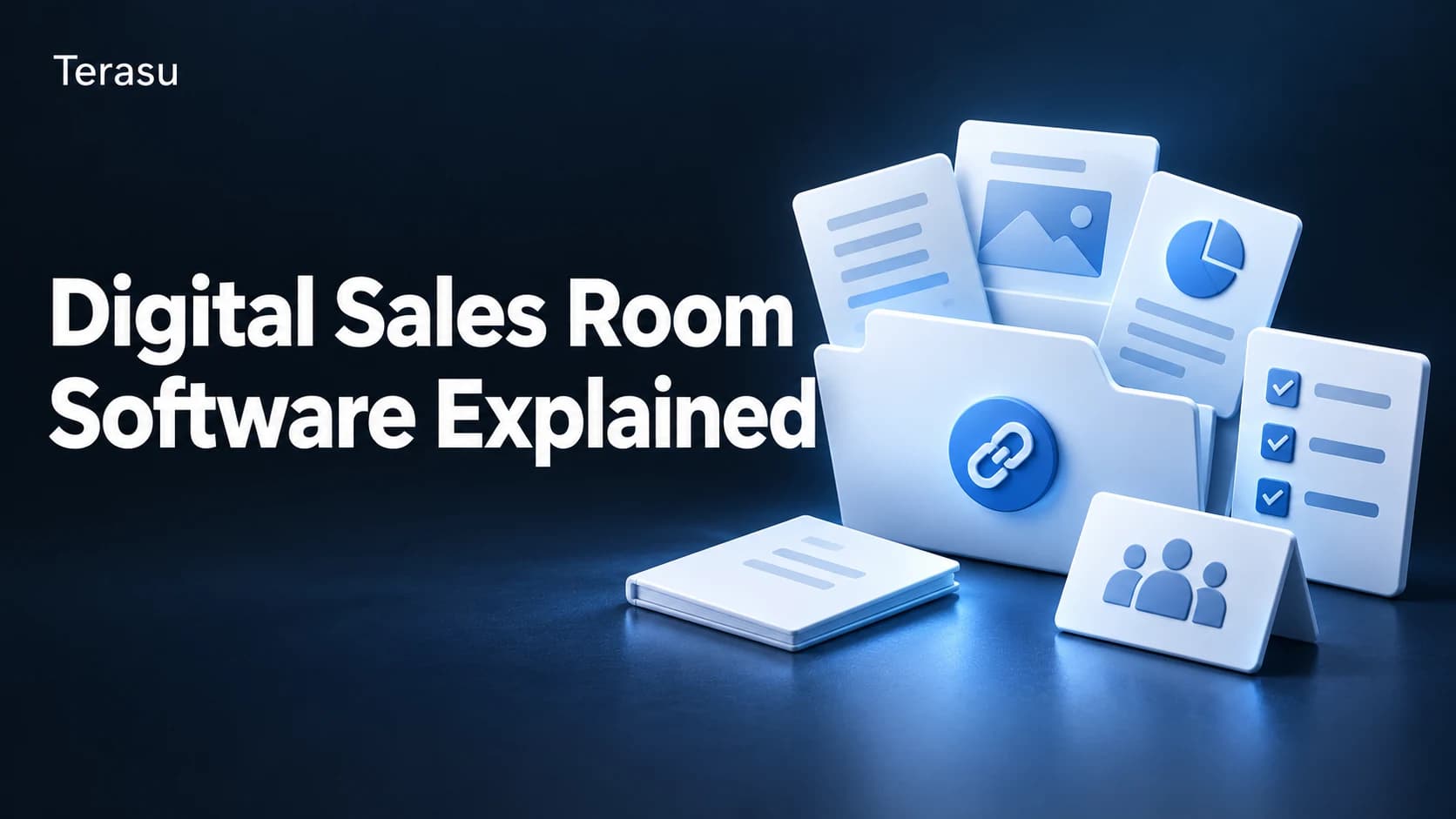
Digital sales room software is the platform layer that lets a seller create buyer-facing deal workspaces—one shared URL per opportunity that consolidates proposals, pricing, documents, and tasks while tracking exactly what each stakeholder engages with. Gartner published its first Market Guide for Digital Sales Rooms in February 2025 and predicts that by 2028, 30% of B2B deal cycles will be managed through digital sales rooms.

Key takeaways:
- Digital sales room (DSR) software is judged less on feature count than on three things: buyer-facing experience, engagement analytics, and how cleanly it plugs into your existing CRM and chat stack.
- Separate must-have capabilities (shared workspace, page-level tracking, CRM sync, security controls) from nice-to-have ones (video, e-sign, AI summaries)—paying for the latter before the former is the most common buying mistake.
- ROI on a DSR is calculable: model it from win-rate lift, cycle-time reduction, and rep hours saved against per-seat cost. A worked example is included below.
- Run every shortlisted tool through the same weighted 7-criteria checklist so the decision is based on fit, not the loudest demo.
If you have already decided you need a buyer-facing deal workspace, the next question is harder: which tool? The category is crowded, demos all look similar, and pricing pages rarely tell you what actually drives adoption. Buy on a flashy feature you never use and you end up with shelfware; buy on price alone and reps quietly revert to email attachments.
This guide is a vendor-neutral framework for evaluating digital sales room software. It separates the features that matter from the ones that sound good in a demo, gives you a weighted selection checklist you can score vendors against, and shows you how to build an ROI model your finance team will accept. For the category basics, start with what a digital sales room is; for a curated shortlist, see our best digital sales room software comparison; and for setups in context, see digital sales room examples.
What Digital Sales Room Software Actually Does
At its core, DSR software does one thing email and a CRM cannot do together: it gives the seller and the buyer the same screen. A CRM is an internal seller tool; a file drive is passive storage. DSR software sits between them as a buyer-facing surface that records engagement and turns it into a sales signal.
Most platforms stack four layers on a single shared URL:
| Layer | What it provides | Why it matters in evaluation |
|---|---|---|
| Access | One secure link, per-deal permissions, expiry | No-login friction drives buyer adoption |
| Content | Proposals, pricing, contracts, videos—always current | Version control kills "which PDF was final?" |
| Collaboration | Mutual action plan, comments, @mentions | Shared next-steps reduce stalled deals |
| Signal | Who/when/which page/how long, alerts | The whole reason to buy over a file share |
When you compare vendors, weight the signal and access layers heavily. Almost every product can host a proposal; far fewer make the buyer want to open the room and give the rep clean, actionable engagement data once they do.
Must-Have vs Nice-to-Have Features
The fastest way to waste budget is to evaluate on the longest feature list. Instead, sort capabilities into three tiers. Anything in the first tier is a deal-breaker if missing; the second is genuinely useful but should not decide the purchase; the third is differentiation you pay extra for only if it maps to a real workflow.
| Capability | Tier | Why |
|---|---|---|
| Buyer-facing shared room (no buyer login required) | Must-have | If buyers won't open it, nothing else matters |
| Page- and document-level engagement tracking | Must-have | The core data advantage over email |
| Reusable templates / room cloning | Must-have | Drives rep adoption and consistency at scale |
| Two-way CRM sync (Salesforce/HubSpot) | Must-have | Without it, engagement data lives in a silo |
| Security controls (permissions, expiry, SSO, audit) | Must-have | Procurement and security will gate the deal on this |
| Mutual action plan / shared task list | Should-have | High value on complex deals, less so on simple ones |
| Real-time alerts (Slack/email on buyer activity) | Should-have | Turns signals into timely follow-up |
| Native e-signature | Nice-to-have | Useful, but many teams already own a tool |
| Embedded video / async walkthroughs | Nice-to-have | Strong for some motions, dead weight for others |
| AI summaries / next-step suggestions | Nice-to-have | Promising, but verify it works on your content |
| White-label / custom domain | Nice-to-have | Matters mostly for enterprise brand control |
The rule of thumb: every must-have should be non-negotiable on your shortlist, every should-have should be scored, and you should only pay a premium for a nice-to-have if you can name the exact deal motion it serves. AI features in particular deserve scrutiny—ask for a trial on your own proposals, because summary quality varies wildly by content type.
This tiering matters because B2B buying has gotten more complex, not less. Forrester's State of Business Buying 2024 reports an average of 13 people involved in a purchase, with 89% spanning two or more departments—so multi-stakeholder visibility (a must-have) beats any single shiny feature.
The DSR Software Selection Checklist
Use this weighted scorecard to evaluate every shortlisted vendor on the same basis. Score each criterion 1–5, multiply by the weight, and total. The weights reflect what actually drives adoption and outcomes—adjust them to your context, but keep buyer experience and analytics at the top.
| # | Criterion | Weight | What "5" looks like | Score (1–5) |
|---|---|---|---|---|
| 1 | Buyer experience | 25% | Opens in one click, mobile-clean, no buyer account, forwards internally with ease | |
| 2 | Engagement analytics | 20% | Page-level dwell time, per-stakeholder view history, exportable, real-time | |
| 3 | CRM & stack integration | 20% | Two-way sync, activity logged to the opportunity, Slack/email alerts | |
| 4 | Templates & scalability | 10% | Clone best rooms, govern at team level, fast rep onboarding | |
| 5 | Security & compliance | 10% | SSO, granular permissions, link expiry, audit log, SOC 2 / data residency | |
| 6 | Total cost & pricing model | 10% | Transparent per-seat pricing, no surprise usage fees, sensible minimums | |
| 7 | Support & onboarding | 5% | Implementation help, responsive support, documented best practices |
How to use it: Run a 2-week trial with two or three real deals per vendor, not a sandbox. Have an actual buyer (or a sales engineer role-playing one) open the room on a phone. A tool that wins the demo but loses on criterion 1 in the field will lose on adoption—and an unused DSR has zero ROI.
Practical tip: Score criteria 1–3 first. If a vendor can't clear a 4 on buyer experience, analytics, and CRM integration, the remaining criteria rarely rescue the decision.
How to Calculate ROI on DSR Software
Finance won't approve "it helps reps." Build the ROI case from three measurable levers, then net it against cost. The model below is intentionally conservative—use your own pipeline numbers.
The three value levers
- Win-rate lift — Better-qualified, more-engaged deals close more often. Even a 1–3 point improvement on a meaningful pipeline is the largest line item.
- Cycle-time reduction — Centralized content and shared action plans cut back-and-forth. Faster cycles mean more deals closed per rep per year.
- Rep time saved — Less time chasing "did you see my email?" and rebuilding proposals from scratch via templates.
Worked example
Assume a team of 10 reps, average ACV of $30,000, 40 deals closed per rep per year at a 20% win rate (so ~200 opportunities per rep), and DSR software at $50/seat/month ($6,000/year total).
| Lever | Assumption | Annual value |
|---|---|---|
| Win-rate lift | 20% → 22% (+2 pts) across the pipeline | ~$240,000 added revenue |
| Cycle-time reduction | 10% faster cycles → ~4 extra deals/team/yr | ~$120,000 added revenue |
| Rep time saved | 2 hrs/rep/week via templates + less chasing | ~1,000 hrs/yr reclaimed |
| Cost | 10 seats × $50 × 12 | −$6,000 |
Even attributing only the win-rate lever and discounting it heavily, the payback is measured in weeks, not quarters. The point is not these exact figures—it is the structure: tie the purchase to win rate, cycle time, and hours, then prove the lift with the platform's own engagement data after rollout. A DSR that tracks engagement is, conveniently, also the tool that lets you measure its own ROI.
One caveat to stay honest: win-rate attribution is rarely clean. Run a before/after on a defined cohort (e.g., deals over $20K) rather than claiming credit for the whole pipeline, and your finance partner will trust the number.
How DSR Software Fits Your Existing Stack
DSR software is not a CRM replacement—it is the buyer-facing layer your CRM has always lacked. The integration story is where good tools separate from demo-ware.
- CRM (Salesforce, HubSpot): Engagement events should sync back to the opportunity automatically, so reps and managers see room activity inside the system of record—no separate dashboard to remember.
- Chat (Slack, Teams): Real-time alerts ("the CFO just re-opened the pricing page") let reps follow up on a signal while it's hot.
- Content & e-sign: The room should pull from your content library and, ideally, close the loop with signature without a context switch.
The deciding question: does the tool make engagement data flow into where your team already works, or does it create another silo to check? A DSR whose signals never reach the CRM gets ignored within a quarter. This matters more as buyers self-serve—Gartner found 67% of B2B buyers now prefer a rep-free experience, while hybrid buying (rep plus digital tools) produces 1.8× higher-quality deals than pure self-service. Capturing what buyers do without the rep present is the entire value of integrated tracking.
Common Pitfalls When Choosing DSR Software
- Buying on feature count. The longest list rarely wins adoption. Score buyer experience and analytics first.
- Skipping the field trial. A sandbox demo hides the only thing that matters—whether buyers actually open and use the room.
- Underweighting CRM integration. Engagement data trapped in a separate tool is data nobody acts on.
- Ignoring rep adoption. If creating a room takes longer than attaching a PDF, reps won't switch. Templates and cloning are what make it stick.
- Over-indexing on AI. Treat AI summaries as a nice-to-have until you've verified them on your own content.
- Forgetting security early. Surface SSO, permissions, and audit requirements with security/procurement before you fall in love with a tool.
Where Terasu Fits
Terasu is a digital sales room platform built around the three things this guide weights most heavily. Reusable templates let teams clone their best-performing room per deal so every rep starts from the strongest version, not a blank page. Page-level engagement tracking shows who read what and for how long, and those signals surface in real time through Slack and CRM integration—so the data lands where your team already works rather than in yet another dashboard. If the selection checklist above points you toward buyer experience, analytics, and clean integration over feature sprawl, it's worth a look alongside the others on your shortlist.
We'd still encourage you to run Terasu through the same weighted scorecard as every other vendor. A fair, structured comparison is exactly what protects you from buying the loudest demo instead of the best fit.
Evaluate Terasu against your checklist
Spin up a real buyer-facing room from a template, watch page-level engagement signals flow into Slack and your CRM, and see how it scores on your own criteria. Try free.
Start freeFrequently Asked Questions
What is digital sales room software?
Digital sales room software is a platform that lets sellers create buyer-facing deal workspaces—a single shared URL per opportunity that consolidates proposals, documents, pricing, and tasks while tracking which stakeholders engage with what. It sits between a CRM (an internal tool) and a file drive (passive storage) as the surface a seller and buyer use together.
How much does digital sales room software cost?
Most platforms price per seat, commonly in the range of roughly $30–$100 per user per month, with enterprise tiers negotiated separately. Watch for usage-based add-ons, room minimums, and charges for premium features like white-labeling. Always model total cost against the ROI levers (win rate, cycle time, hours saved) rather than comparing sticker prices alone.
What features should I prioritize when choosing DSR software?
Prioritize the must-haves first: a frictionless buyer-facing room (no buyer login), page-level engagement analytics, reusable templates, two-way CRM sync, and security controls. Treat mutual action plans and real-time alerts as high-value should-haves, and pay a premium for nice-to-haves like AI summaries or native e-sign only when they map to a specific deal motion.
Is digital sales room software different from a CRM?
Yes. A CRM is an internal system of record for managing customer data and pipeline; it is not designed for buyers to open. DSR software is buyer-facing by design and captures engagement signals from the buyer's side. The two are complementary—good DSR software syncs its engagement data back into your CRM rather than replacing it.
How do I measure ROI on a digital sales room?
Build the case from three levers: win-rate lift, cycle-time reduction, and rep hours saved, netted against per-seat cost. To prove it honestly, run a before/after comparison on a defined deal cohort (for example, opportunities over $20K) rather than attributing the entire pipeline's performance to the tool. Because DSRs track engagement, they also let you measure their own impact after rollout.
Do buyers need to create an account to open a digital sales room?
With well-designed software, no. Buyers should be able to open a room from a single secure link without registering—login friction is one of the biggest reasons buyers never engage. Per-deal permissions, link expiry, and SSO (for the seller side) handle security without forcing buyers through an account creation step.
How long does it take to roll out DSR software?
For most teams, a basic rollout takes days, not months—creating templates, connecting the CRM, and training reps on cloning rooms. The longer pole is adoption: budget time to standardize your best-performing room as a template and to integrate engagement alerts into your existing Slack/CRM workflow, since that's what makes reps actually switch from email attachments.
Conclusion
Choosing digital sales room software is less about chasing the longest feature list and more about disciplined fit. Separate must-have capabilities from nice-to-haves, score every vendor on the same weighted checklist, prove the ROI with your own pipeline numbers, and trial each tool on real deals with a real buyer on a phone. Do that, and you'll buy the platform your team actually adopts—not the one that won the demo.
When you're ready to compare specific tools, move on to our best digital sales room software shortlist, revisit the fundamentals in what is a digital sales room, or see how teams structure rooms in digital sales room examples. Whatever you shortlist, run it through the weighted scorecard above—structured comparison is what turns a crowded category into a confident decision.