Identify readers with email verification
A normal share link tells you that a document was read, but not who read it. When one URL is passed around a team, the views cannot be told apart.
Email verification adds an address check before the document opens, so each reader is recorded individually.
Turning it on
In the share link settings, enable Require email verification. This setting becomes available after you sign up for a free account.
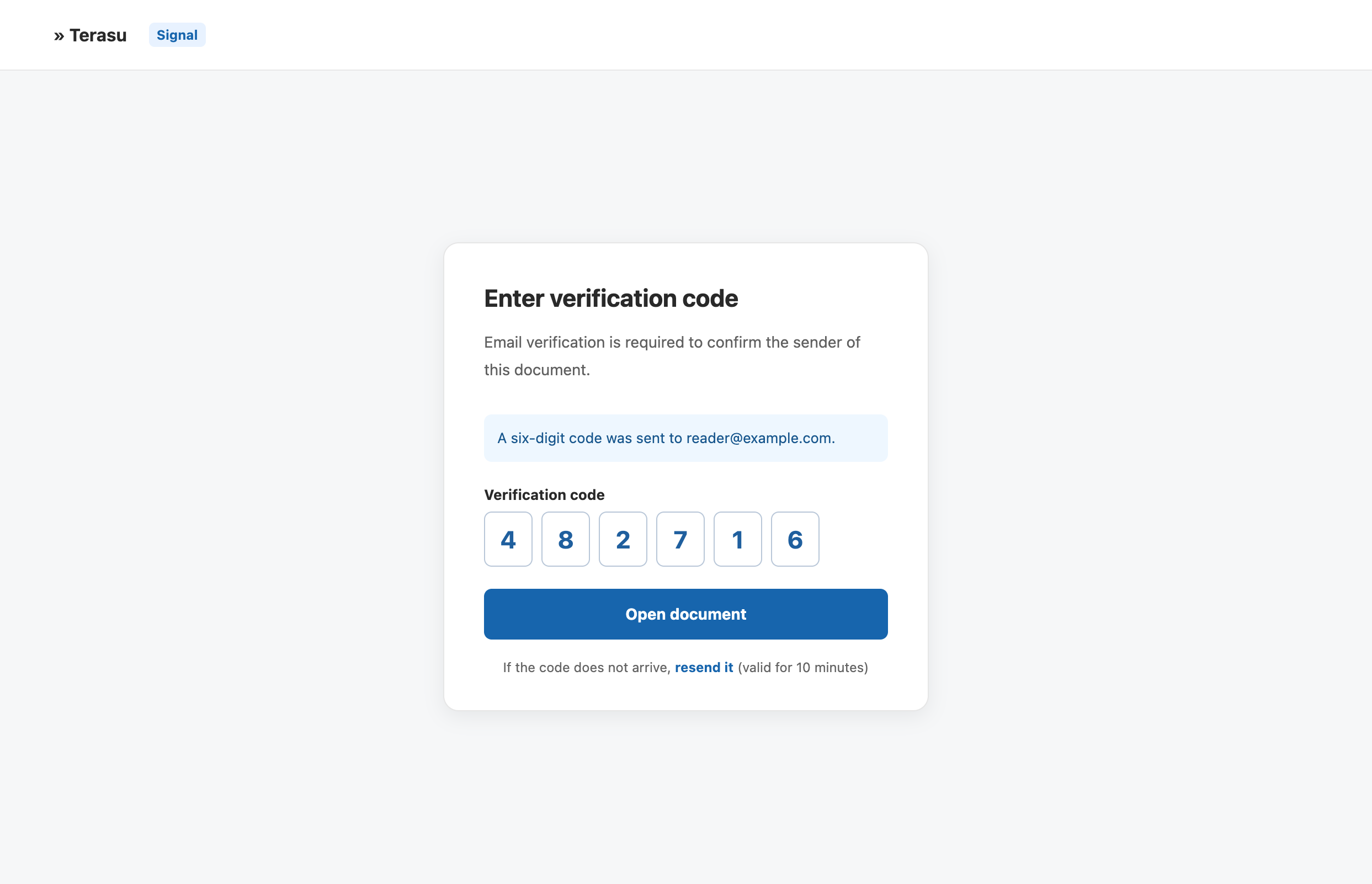
Here is what the recipient experiences:
- Opening the link shows an email address field instead of the document
- A six-digit verification code arrives at that address
- Enter the six-digit code on the screen and select "Open document" (the code is valid for 10 minutes)
If the code does not arrive, select Resend. To verify a different address, return to the email address step and enter it again.
Forwarded readers are captured too
Sales documents are frequently forwarded from a contact to a decision maker.
With email verification on, someone who opens a forwarded link is recorded as a separate reader. You can see patterns like "the contact skimmed it, then a director read it end to end the next day".
A key person reading the document means the deal has moved up the chain. Add "Fully read" to your notification timings so you do not miss that moment.
Verified readers are recorded as responses
When verification succeeds, that person is recorded automatically as a response, with the source shown as email verification.
Responses keep contact details and reading activity together, so they are ready to follow up on. See Managing the responses you receive.
Compared with PIN and form links
| Method | Restricts opening | Identifies the reader | Captures contact details |
|---|---|---|---|
| PIN | Yes | No | No |
| Email verification | Yes | Yes | Yes |
| Form link | No | Yes | Yes |
Email verification adds a step, and some readers will drop off. A practical split: named plain links for deals already in progress, email verification for distribution where you do not know who will open it.
Related articles
- Share link settingsUse PIN, expiry, download control, and stopping to send documents outside your company with confidence
- Managing the responses you receiveFollow responses from form submissions and email verification, from untouched to settled, with statuses and notes
- Getting started with Terasu SignalShare a PDF without signing up and see when, by whom, and how far it was read