Last updated: 2026-03-20 · 1 min read
Global Search
Global search lets you quickly find Rooms, pages, files, and members across your Workspace.
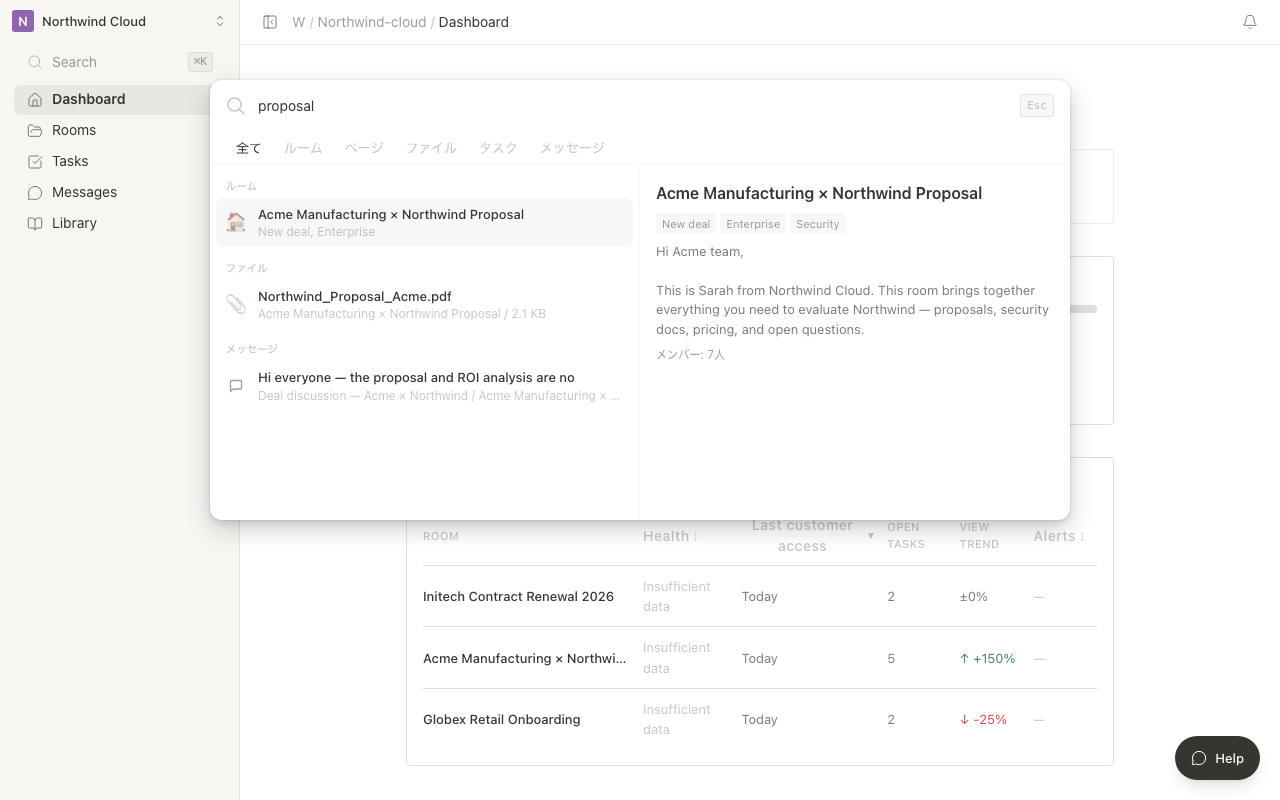
Opening Search
You can open the search panel in either of the following ways.
| Method | Action |
|---|---|
| Keyboard shortcut | Cmd + K (Mac) / Ctrl + K (Windows) |
| Sidebar | Click the search icon |
What You Can Search
| Target | What's searched |
|---|---|
| Room | Room name and description |
| Page | Page title and body text |
| File | File name |
| Member | Name and email address |
Acting on Search Results
Click a search result to jump directly to the corresponding Room, page, or file. You can also use the up and down arrow keys to select a result and press Enter to open it.
Search displays results in real time, narrowing the suggestions as you type each keyword.