Run an Agent: now, on a schedule, or webhook
In Publish & run, place an approved Agent in a Room and choose when it can run. Start with Run now, then add a schedule or webhook only after you have checked real results.
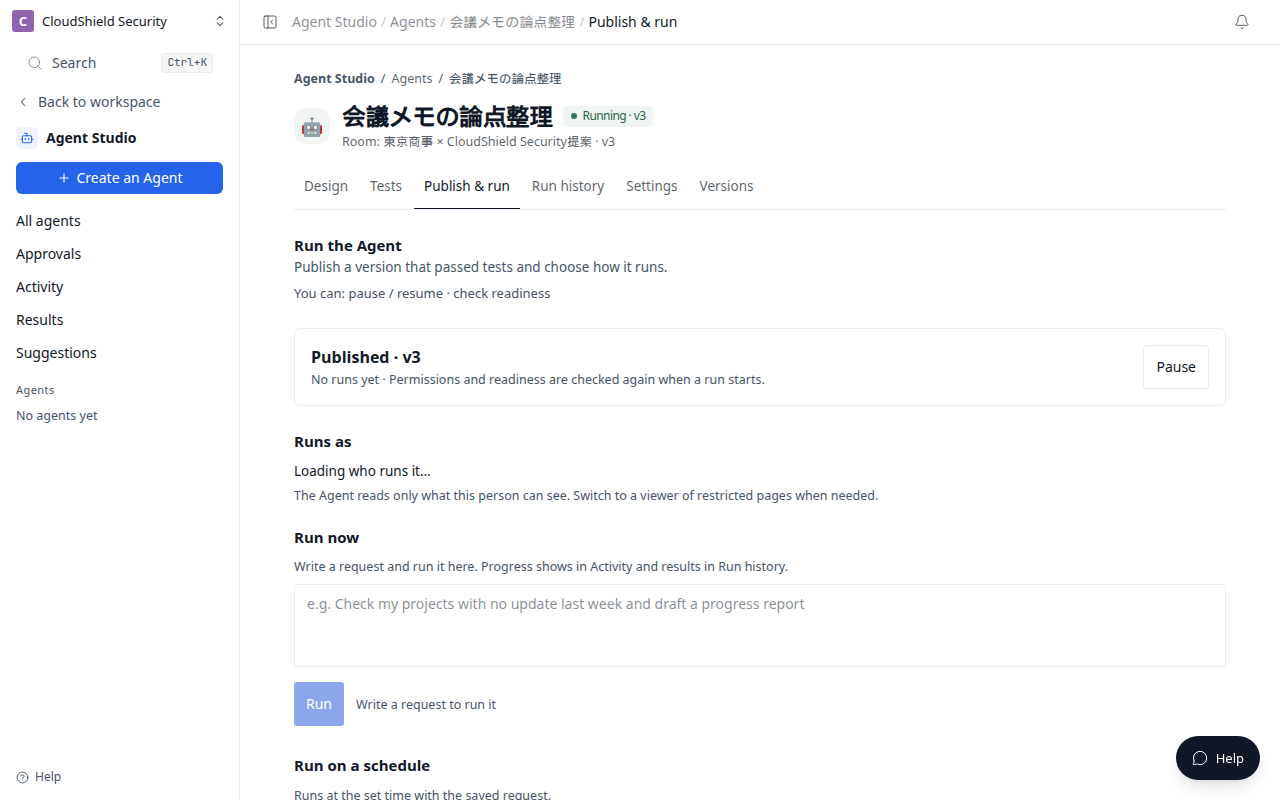
The opening image is the Agent Publish & run tab (1280). It lists Run now, Run on a schedule, and calling from an external system.
| Run method | Best for | First recommendation |
|---|---|---|
| Run now | Meeting follow-ups or important project checks | Start here |
| Run on a schedule | A daily stalled-project review or weekly executive summary | Use after Run now results are stable |
| External system | Work initiated by an event in an external system | Use after signature testing and permission review |
Run now
- Open the Agent and select Publish & run.
- Check who runs it and the reference scope.
- Write the request and select Run. You cannot press it while the request is empty.
- Follow progress in Activity. Read the result in Run history.
Run on a schedule
Use a schedule for recurring work. An internal Room editor chooses the Room, time, time zone, and definition. Creating a schedule does not make it active by itself; activation is a separate action that begins future automatic runs.
A schedule does not run an Agent across every Room. It runs only within the selected Room and permitted scope.
External system
A webhook starts a run from an external event. Only a verified signed event is accepted. Webhook creation and activation are Workspace-admin actions, so ask an administrator before you plan a webhook-based workflow.
Store the webhook secret only in an approved secret store when it is created. Do not paste it into a prompt, Room material, Run history, or support request.
Related articles
- Evaluate, approve, and publishCheck expected results in Tests before publishing an Agent
- Rooms, sources, connections, and permissionsUnderstand what an Agent can reference and what to check before enabling MCP or write actions
- Troubleshooting Agent StudioCheck goals, evaluation, publish, and run results when an Agent does not work as expected