Create your first read-only Agent
Start with an Agent that reads information and returns a proposal without changing a Room or sending anything. This guide is for designing, testing, and publishing a reusable Agent; it is different from asking the Room AI Agent a one-off question.
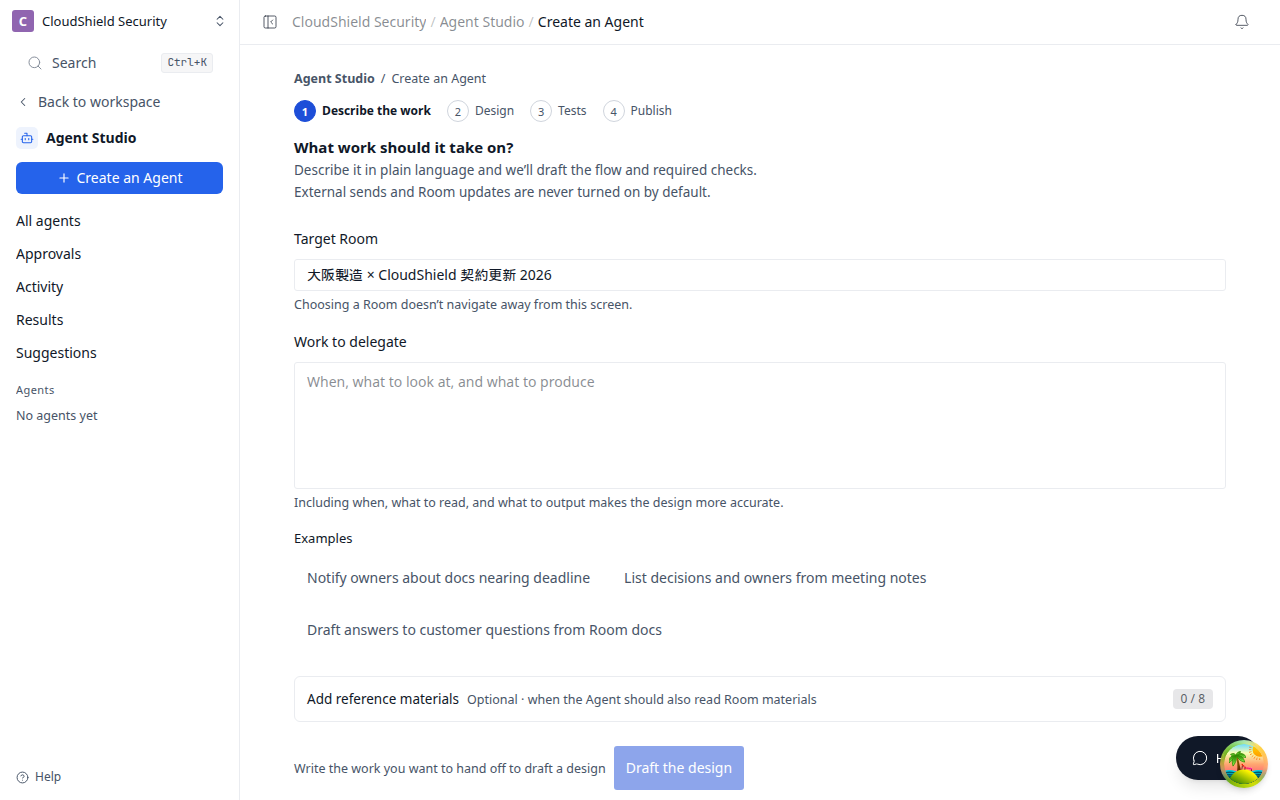
The opening image is Create an Agent (1280). Write the work to delegate, then select Draft the design.
Example job
Create an Agent that reads meeting notes, lists decisions, follow-ups, and open items, then proposes agenda items for the next meeting.
- Select Create an Agent in Agent Studio.
- Choose the Target Room and describe the goal in Work to delegate.
- If needed, open Add reference materials and pick meeting notes from that Room.
- Select Draft the design and check its goal, sources, output, and boundaries.
- When the design looks right, continue to Tests.
Example request:
From these meeting notes, organize decisions, follow-ups, and unresolved items, then propose next-meeting topics in priority order. Do not update the Room or contact anyone externally.
While Work to delegate is empty, Draft the design cannot be pressed. The reason is that you can create a design after you describe the work.
Make a request easier to check
| Include | Example |
|---|---|
| When it runs | After a meeting, every morning, when a file is added |
| What it reads | Meeting notes, Room tasks, project summary |
| What it returns | Decisions, next actions, an executive summary |
| What it must not do | Do not update, send, or run without review |
Safe first configuration
For the first version, confirm all of the following:
- Scope: one selected Room only
- Run: Run now only; no schedule or webhook yet
- Connections: no MCP action beyond reading
- Output: proposals, summaries, and drafts only; no Room update or external delivery
Only add a trigger or permission after the Run now result is consistently useful.
Words such as “send” or “update” can add a write or external action to the design. Start with “propose” or “prepare a draft” and evaluate the result first.
Related articles
- What is Agent Studio?Understand how to describe a job, then create, test, publish, and improve an Agent
- Evaluate, approve, and publishCheck expected results in Tests before publishing an Agent
- Rooms, sources, connections, and permissionsUnderstand what an Agent can reference and what to check before enabling MCP or write actions