When notifications do not arrive
If a document was read but no notification came, the cause is almost always one of the following. Work through them in order.
1. Have you signed up?
View notifications are available after signing up for a free account. While using the trial without an account, you can still see reading states in the document list, but no notifications are sent.
Documents and share links from the trial carry over to your account.
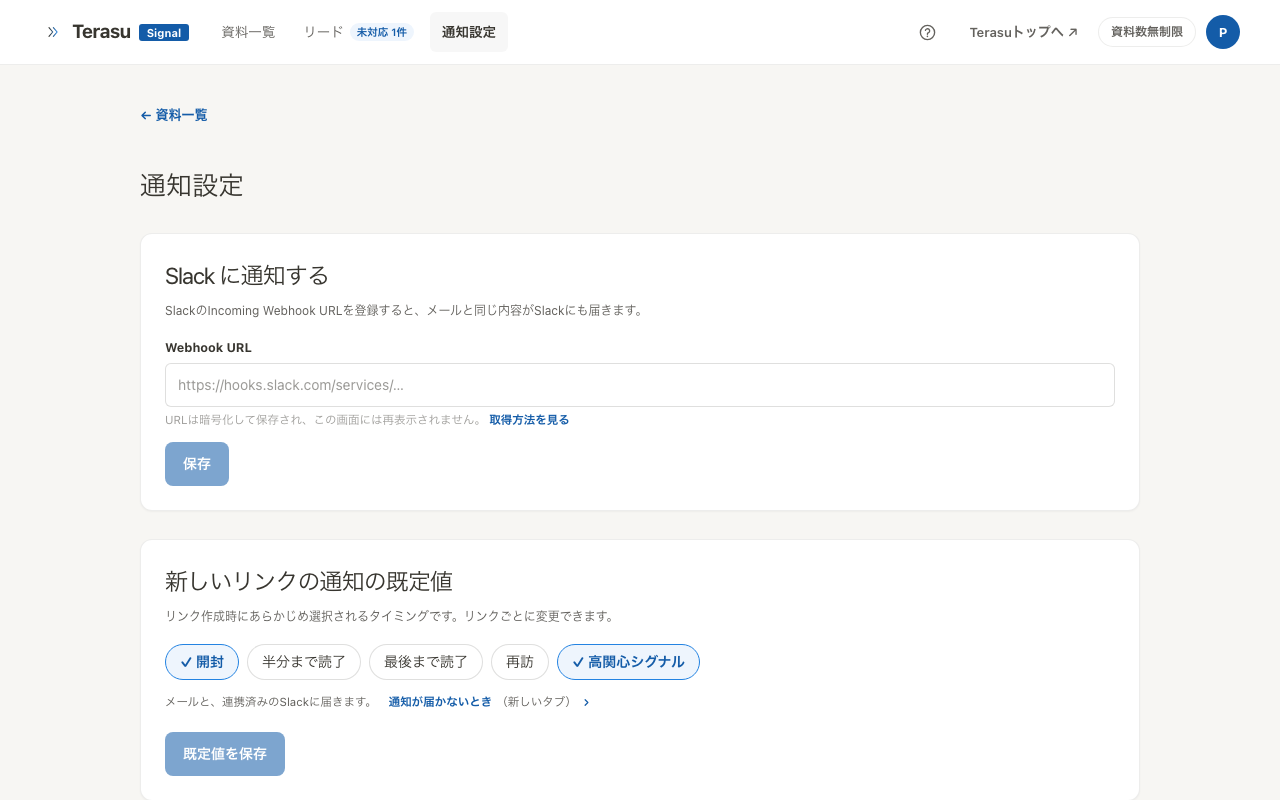
2. Is a notification timing selected?
Notifications are only sent for the moments you select. Check Default notification timing on the notification settings screen.
| Timing | Sent when |
|---|---|
| Opened | The link is opened |
| Half read | The reader reaches the halfway point |
| Fully read | The reader reaches the last page |
| Revisit | The same person opens it again |
| High interest signal | Pages are read deeply and for a long time |
Opened and High interest signal are enabled by default.
If no timing is selected, nothing will ever notify you. Check whether the settings screen is showing a warning.
3. Are notifications on for that link?
Notifications can also be set per link. If a link has notifications turned off, it stays silent even when default timings are selected.
Open the document and check the settings of the link you sent. When a link specifies nothing of its own, the default from the settings screen applies.
The priority is per-link settings, then the user's default notification settings, and finally the fallback. When neither setting supplies timings, the fallback uses Opened and High interest signal.
4. Is the email arriving?
Notifications go to the email address registered with Terasu.
- Check your spam folder
- Allow the
@koromo.iodomain - If you use a company address, ask your administrator whether a filter is quarantining the messages
5. If you use Slack
Slack notifications only reach connected workspaces. Without a connection, notifications are email only.
See Slack integration to connect one.
Still nothing
The view itself may not have been recorded. If the link still shows "Not viewed" in your document list, either the recipient has not opened it, or the link has expired or been stopped.
See Share link settings for expiry and stopping.
If none of this helps, contact us.
Related articles
- Getting started with Terasu SignalShare a PDF without signing up and see when, by whom, and how far it was read
- Share link settingsUse PIN, expiry, download control, and stopping to send documents outside your company with confidence
- Managing the responses you receiveFollow responses from form submissions and email verification, from untouched to settled, with statuses and notes