Rooms, sources, connections, and permissions
An Agent operates within its published Room and the materials and connections allowed by its design. It does not freely read customer information across Rooms. Begin with the minimum sources and permissions, then expand only after reviewing results.
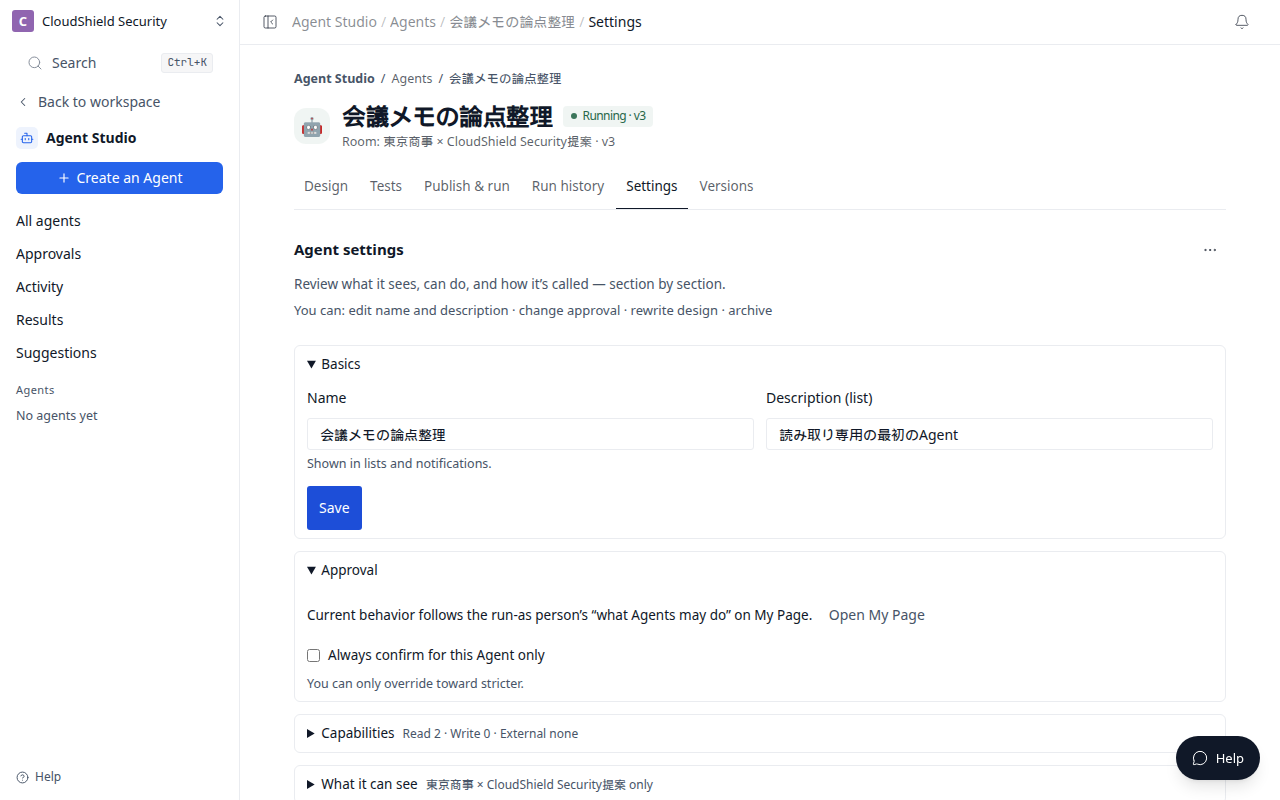
The opening image is the Agent Settings tab (1280). Confirm the name, capabilities, scope, and who runs it here.
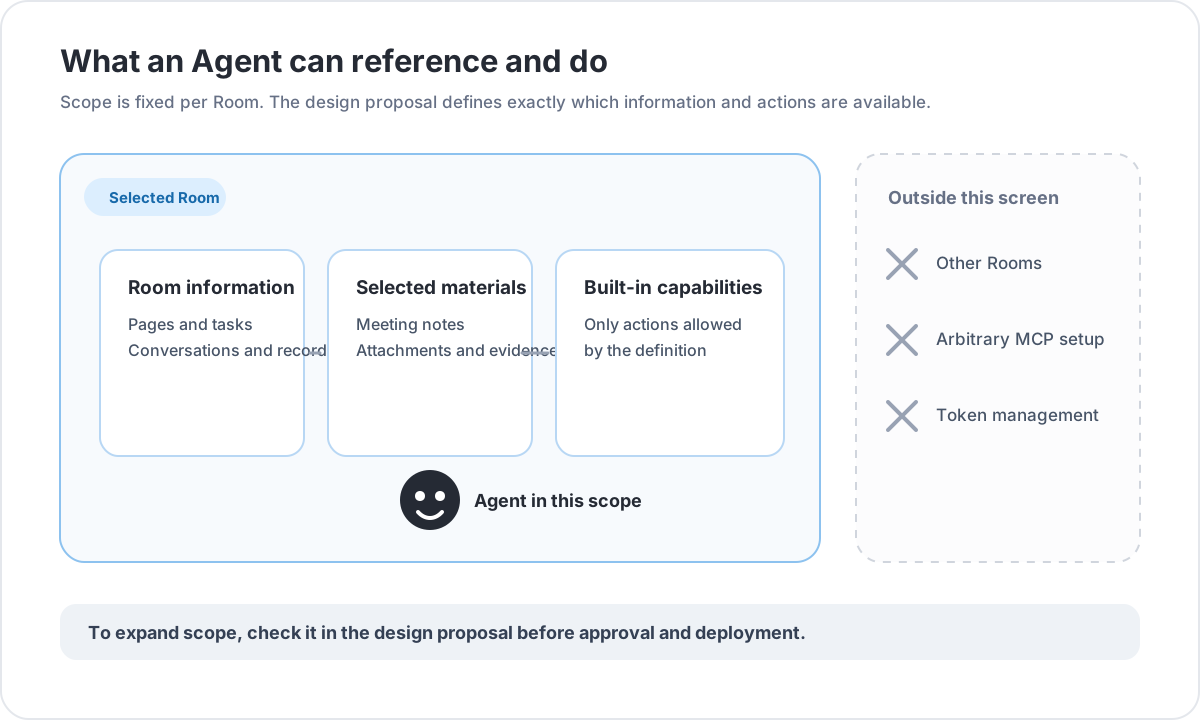
What an Agent can use
| Information | How it is used |
|---|---|
| Room information | The selected Room's summary, pages, tasks, and conversations can be referenced when relevant |
| Added materials | Meeting notes and files selected in Create an Agent inform the design and evaluation |
| MCP and connections | Settings shows the built-in capabilities available in the Room. It does not add arbitrary MCP servers or edit connection tokens. |
“Knowledge” and context mean the material available to the Agent. They are not a screen where users directly edit the system-generated internal Context. You control the Room, materials, connections, output, and execution boundary instead.
Before using a connected capability
- In Settings, confirm that the listed built-in capability is needed for the job.
- Decide in Design whether reading, drafting, updating, or sending is required.
- Include every write or delivery case in Tests.
- Check the capability scope and result in Run history after you publish.
The approved Agent definition, Room scope, and short-lived execution token determine what can run. This screen is not a place to register an arbitrary MCP server or manage credentials.
Who can do what
| Action | Required access |
|---|---|
| View Run history, Results, and available connections | Internal Room member |
| Create an Agent, publish, or configure Run now and scheduled runs | Internal Room editor |
| Manage evaluation cases or create and enable webhooks | Internal Workspace administrator |
| Use Agent Studio | External members are not eligible |
Webhook secrets must be stored in an approved secret store at creation. Never paste them into prompts, Room materials, Run history, or support requests.
Related articles
- Create your first read-only AgentUse plain language to create a safe first Agent that organizes meeting notes without changing anything
- Run an Agent: now, on a schedule, or webhookChoose a safe trigger for Run now, recurring work, or an external event
- Evaluate, approve, and publishCheck expected results in Tests before publishing an Agent