What is Agent Studio?
Agent Studio is where you design, check, and operate an AI Agent for recurring work without writing code. Describe what you want to achieve in plain language, and Terasu turns it into a proposal for the flow, Room materials, and checks the Agent needs.
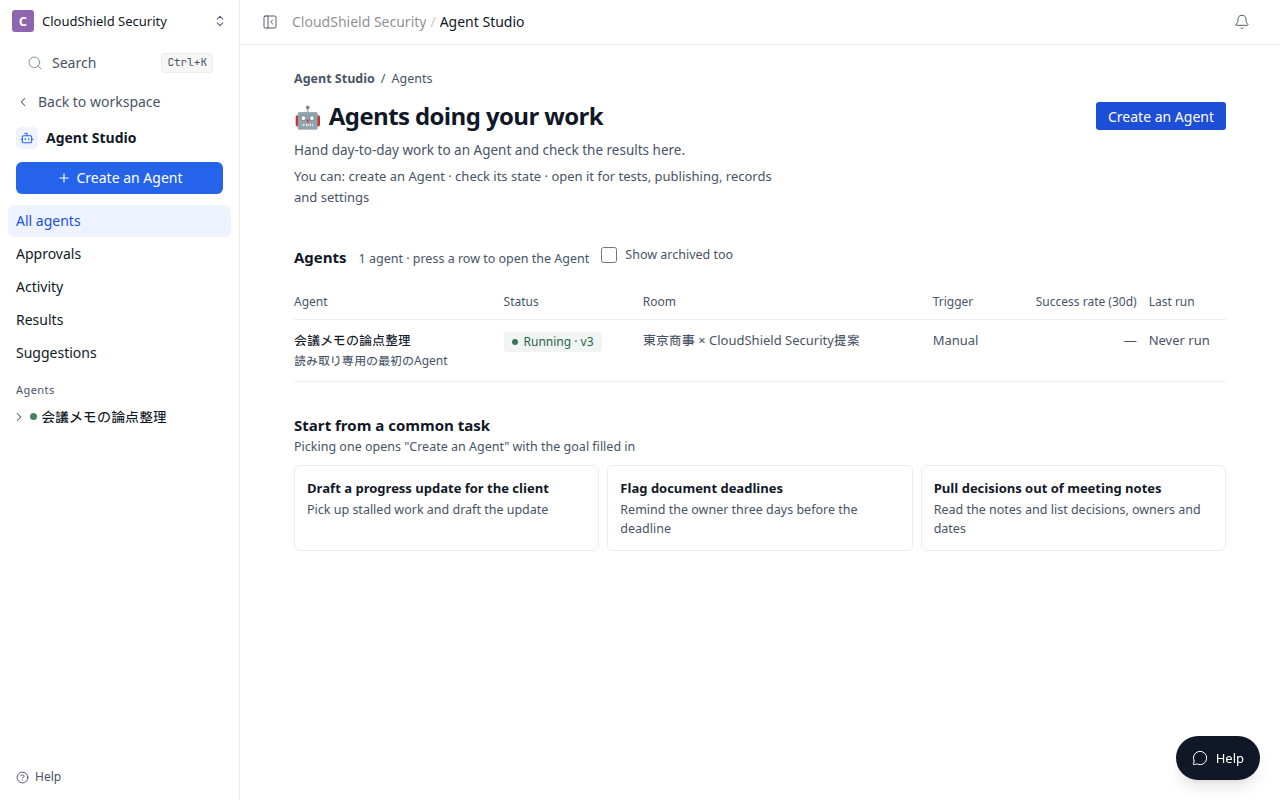
The opening image is All agents in Agent Studio (1280). From the left nav you can open Create an Agent, Approvals, Activity, Results, and Suggestions.
Available plans
Agent Studio design, tests, publish, Run now, scheduled runs, signed webhook runs, delegation to an Agent in the same Room, and standard integration writes are available on Business and Enterprise. Custom Skills and the Agent SDK are Enterprise-only.
If a plan change makes a Workspace ineligible, new Agent Studio execution stops. Existing published Agents, schedules, and webhooks do not resume automatically after an upgrade. A member who can manage both the Workspace and its Room must explicitly enable them again.
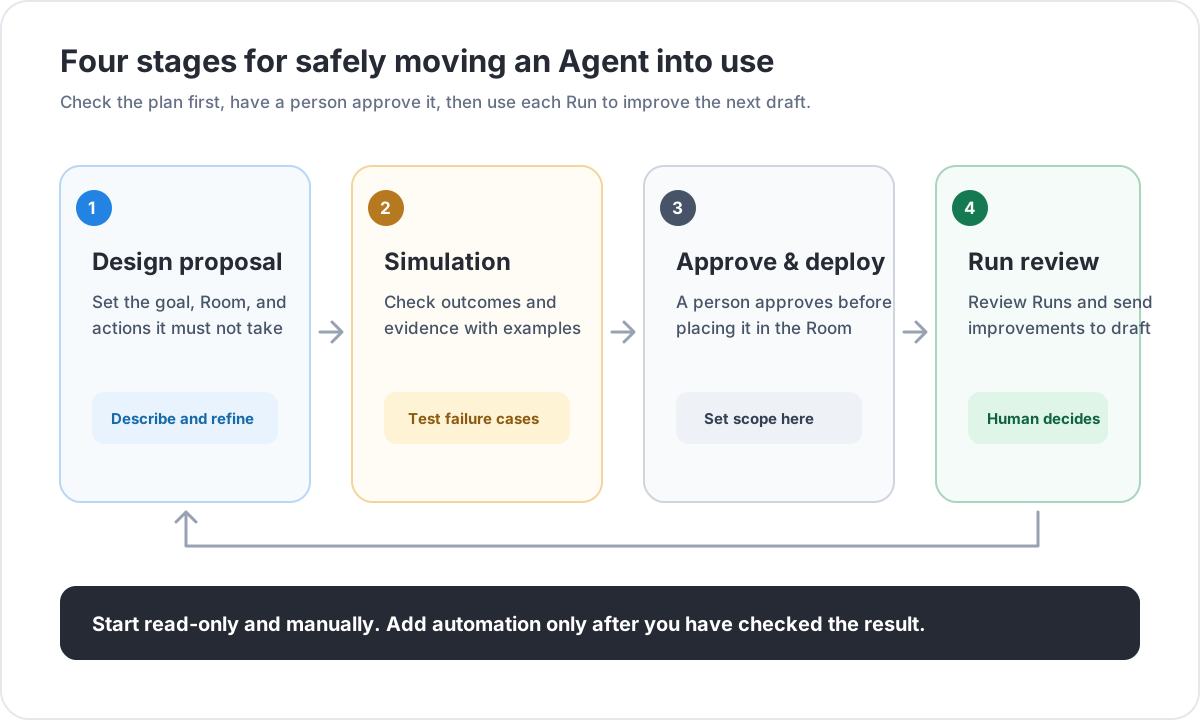
Create → Tests → Publish → Improve is the safe order. You do not need to enable Room updates, external delivery, or automatic triggers at the start. Begin with an Agent that reads information and makes a proposal, then check the quality.
How this differs from the Room AI Agent
| What you want to do | Where to go |
|---|---|
| Ask about the Room currently open | The AI Agent on the right side of the Room |
| Build, test, and publish a reusable Agent | Agent Studio |
The Room AI Agent is for a conversation in the moment. Agent Studio is for designing, testing, and publishing an Agent that can handle a defined job repeatedly.
What each sidebar screen and tab is for
| Screen | What you decide there |
|---|---|
| All agents | Open an Agent you already created and see its status |
| Create an Agent | Work to delegate, target Room, and reference materials |
| Approvals | Proposals a person must approve or reject |
| Activity | Progress of runs that are in flight |
| Results | Outcomes and failure breakdown by Agent |
| Suggestions | Turn system-detected improvements into a draft |
| Design | Goal, what to do, and what not to do |
| Tests | Evaluate results before production use |
| Publish & run | Publish, then Run now, on a schedule, or from an external system |
| Run history | Read and assess one individual run |
| Settings | Name, who runs it, capabilities, and scope |
| Versions | The live version and past versions |
Run history is where people inspect individual runs. Suggestions is where the system proposes changes from repeated patterns. Neither screen publishes a change automatically.
Start with a read-only job, such as turning meeting notes into decisions, open items, and discussion points for the next meeting.
Related articles
- Create your first read-only AgentUse plain language to create a safe first Agent that organizes meeting notes without changing anything
- Evaluate, approve, and publishCheck expected results in Tests before publishing an Agent
- Review results and improve an AgentUse Run history, Results, and Suggestions for different parts of the improvement cycle