Last updated: 2026-09-21 · 2 min read
Profile Settings
My page is where you change your display name, how much the agent may do on its own, notifications, language, theme, and personal calendar / CRM connections. It is not in the sidebar. Open it from the account menu.
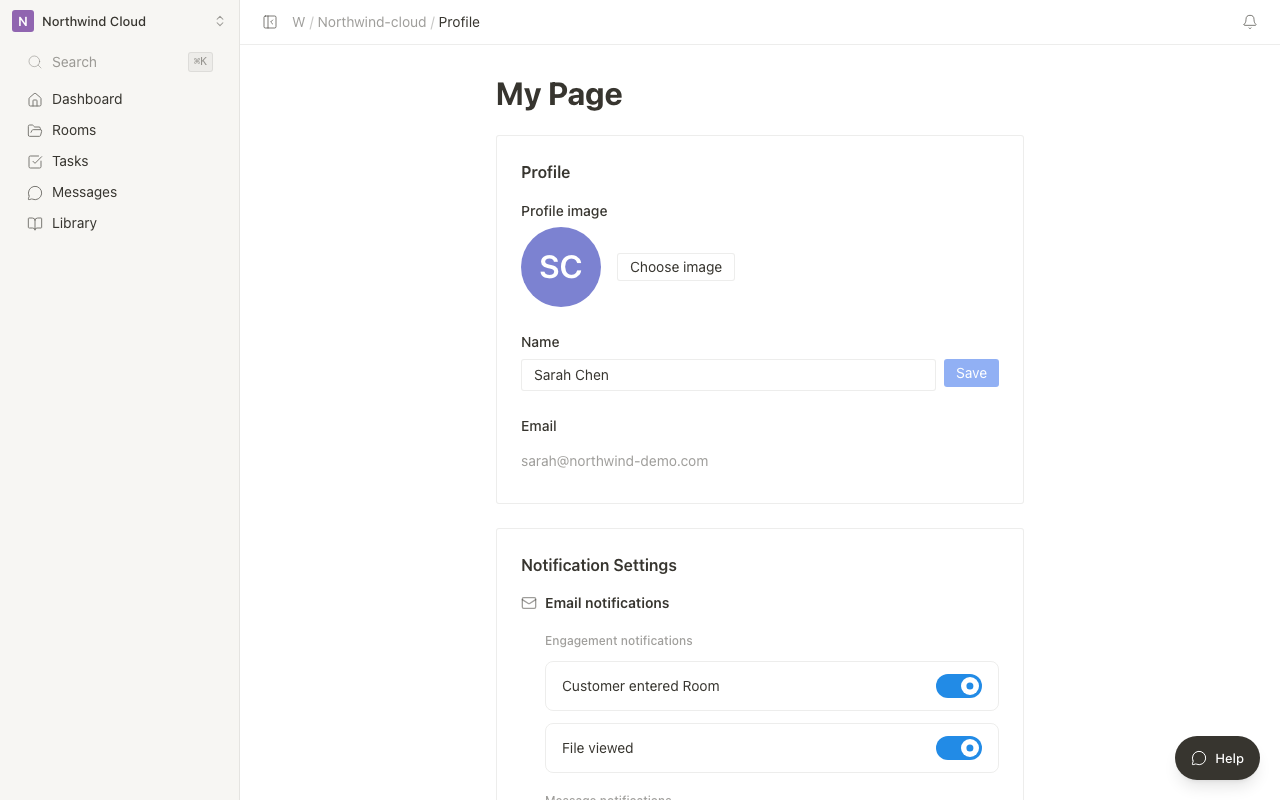
The hero image is workspace My page at 1280.
Opening My page
- Open the account menu at the bottom of the sidebar.
- Choose My page.
What you can change
| Item | Description |
|---|---|
| Profile photo | Choose image accepts JPEG / PNG / GIF / WebP, then crop |
| Name | Save is available after you change the name. Otherwise a reason is shown |
| Read-only | |
| Agent autonomy | Approve every time, auto-run low risk only, and so on (up to the workspace cap) |
| Notifications | Email and Slack DM |
| Language | Japanese / English / match the browser |
| Theme | Light / Dark / match the system |
| Personal connections | Google Calendar and Zoom (account-wide) |
| CRM | Connect HubSpot, Salesforce, or kintone in your name |
Saving your name
- Change the name.
- Press Save. If nothing changed, the page explains that you need to edit the name first.
Language and theme rows show a check on the current choice. Disconnect actions include the service name, for example Disconnect Google Calendar.