Agent Policy
The settings sidebar item Agent Policy opens a page titled Agent Settings. There you set, for the whole workspace, how autonomously the AI agent may act, which standard skills it may use, and whether it may search the web.
There are three save actions on this page: Save autonomy level, Save built-in skills, and Save web search settings. There is no single save for the whole page.
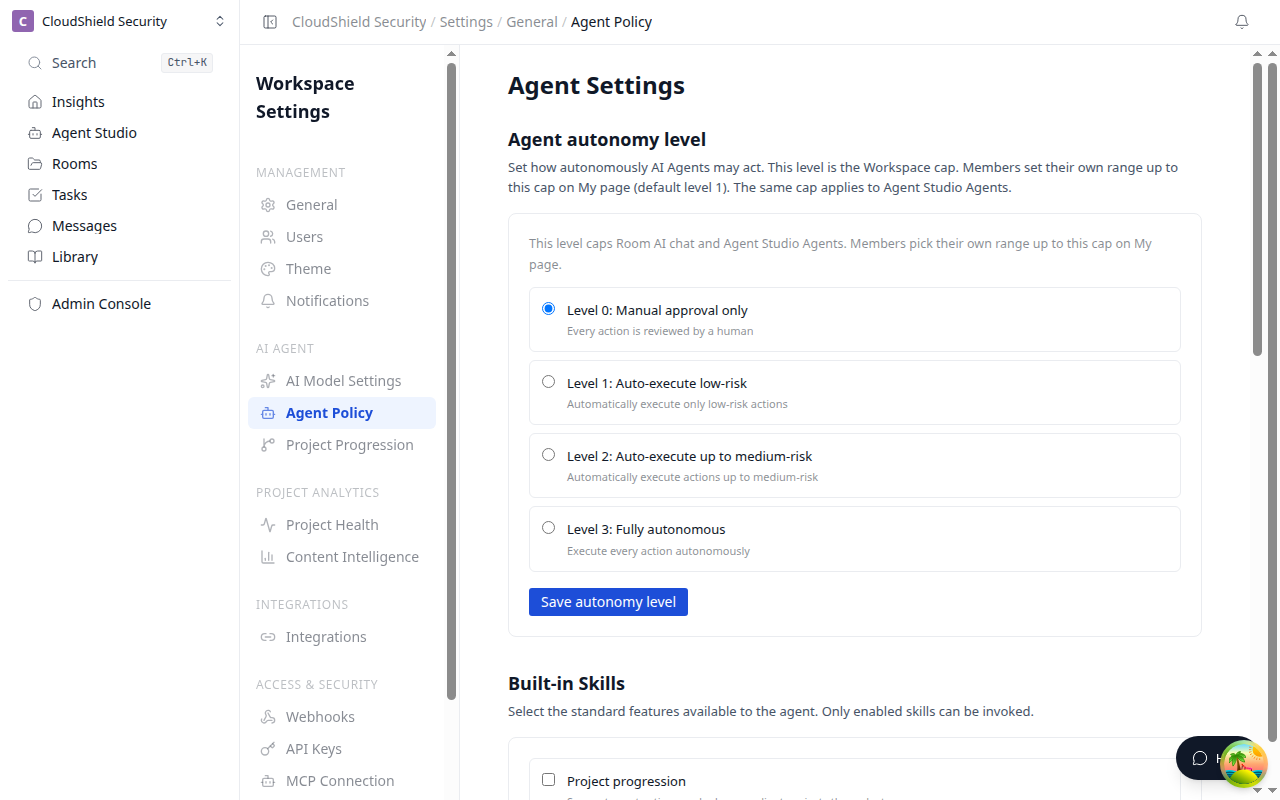
Open the settings screen
- Click the workspace name at the top of the sidebar to open the menu
- Select Settings
- Under AI Agent, choose Agent Policy
Only workspace admins can open this page. Anyone else sees that they do not have permission. If loading fails, use Retry.
Agent autonomy level
Choose a level and click Save autonomy level. This level is the workspace cap. Members pick their own range up to this cap on My page (default: Approve every time). The same cap applies to Agent Studio Agents.
| Level | Name | Runs without approval |
|---|---|---|
| 0 | Notify only | Nothing. Agents only tell you what they found. Proposals from Agent Studio Agents go to Approvals, the same as Approve every time |
| 1 | Approve every time | Nothing. Every action goes to Approvals and runs only after you approve |
| 2 | Auto-run low risk only | Low-risk actions such as creating or updating internal tasks, internal notifications, CRM notes, and adding stakeholders |
| 3 | Auto-run up to medium risk | Low-risk actions plus medium-risk ones such as Slack posts, task priority, stakeholder roles, and updating or generating content |
Messages and tasks in Rooms with clients, email, LINE, Room creation, and CRM sync always need approval.
We recommend Auto-run low risk only (My page shows it as Recommended too). Messages and tasks in Rooms with clients, email, LINE, Room creation, and CRM sync still go to Approvals at every level.
Built-in skills
Choose the standard features the agent may call, then click Save built-in skills. Only skills that are on can be used.
| Skill | Role |
|---|---|
| Project progression | Suggests next actions and advances client projects through stages |
| Signal detection | Automatically finds changes in the other party's review status and risks |
| Pull chat | Lets customers retrieve information through conversation |
| Stakeholder analyzer | Organizes influence and interest among people involved |
| Task planner | Generates needed tasks and organizes the schedule |
| Portfolio digest | Periodically summarizes progress across client projects |
| Message planner | Suggests wording and timing for customer messages |
| Content authoring | Helps create proposals, notes, and FAQs |
Web search
Choose whether the agent may check the external web when Room data is not enough. Confirm with Save web search settings.
| Setting | Description |
|---|---|
| Automatic | Check the external web when in-room information is insufficient |
| Do not use | Answer from Room information only |
| Monthly search limit | Integer from 0 to 10000. Out of range cannot be saved |
If the Brave Search API key is not configured, search does not run even when Automatic is selected.
Higher autonomy is more convenient and more risky. Keep customer-facing send, material publish, contract wording, and CRM updates behind approval at first.