Create Client Companies from a Domain
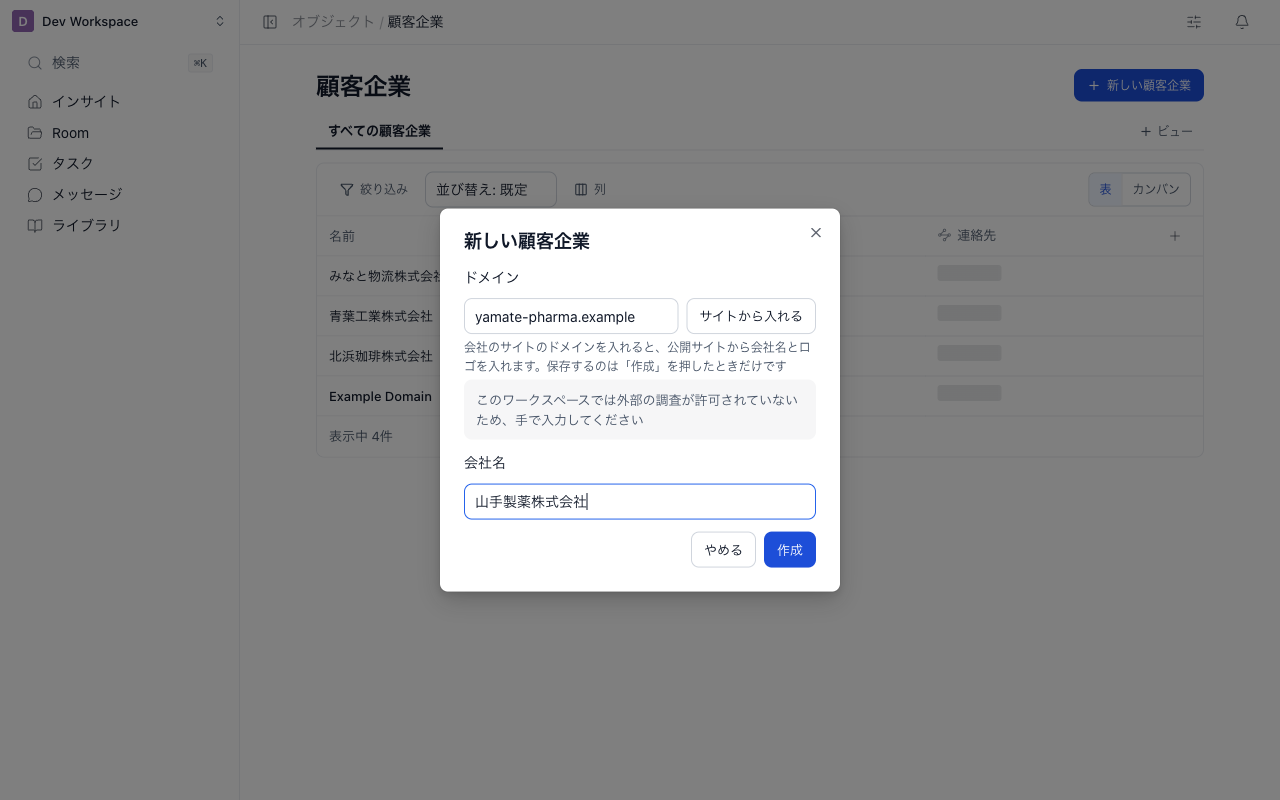
Client companies (shown as 顧客企業) is the built-in object for the companies you work with. When creating one, enter the domain and click Fill from website to fill the company name and logo from its public website.
Create from a domain
- Open 顧客企業 (client companies) from Objects in the sidebar
- Click New 顧客企業
- Enter the company website's domain (for example,
example.com) in Domain and click Fill from website - Check the filled company name and logo, and edit them if needed. Click Do not use the logo to drop the logo
- Click Create
Fill from website only pre-fills the inputs. Nothing is saved until you click Create. Closing the dialog without creating leaves nothing behind.
Domains are lowercased, and https://, a leading www., and any path are removed. If a client company with the same domain already exists, a message says so and it cannot be created.
What gets filled
| Field | Source |
|---|---|
| Company name | The site name (og:site_name) or the page title of the site's home page |
| Logo | The share image (og:image) of the home page, used only when it is an https image on the entered domain or its subdomain |
Only one page is read: the home page of the entered domain (https://{domain}/).
When the name or logo is not filled
In the following cases the site is not read, or what was read is not used. In every case you can type the company name yourself and create the company.
In a workspace that does not allow external research, a notice under the domain field asks you to enter the details by hand.
| Situation | Message |
|---|---|
| You entered a free-mail domain (such as Gmail) or your own domain | Your own or free-mail domains cannot be a client company domain |
| External research is not allowed in this workspace | External research is not allowed in this workspace. Enter by hand |
The site redirects to another host (including a www. host) | Could not read the website. Enter by hand |
| The site cannot be reached, does not respond, or points to an internal address | Could not read the website. Enter by hand |
| Too many lookups in a row | Too many lookups in a row. Wait a moment and try again |
If example.com redirects to www.example.com, the name and logo are not filled. Enter them by hand.
Fill from website can be used up to 10 times per minute per person. If only the logo could not be saved after creation, a message says so; the client company itself has been created.
Use the client company
- Link it to client projects with the 顧客企業 (client company) item in a Room's details (Record Pages). Each Room links to one client company.
- A client company's record page shows its linked client projects and contacts.
Related articles
- Objects and ItemsHow to create objects, items, and relationships that fit your work, such as contracts or invoices, and link them to Rooms (client projects)
- Record Tables and ViewsHow to work with Rooms (client projects), contracts, and other records in tables and kanban boards, and save filters, sorting, and columns as named views
- Record PagesHow to edit a record's values in place, link records, and let admins configure the page layout. Also covers the internal-only items on a Room home